Exact API endpoints
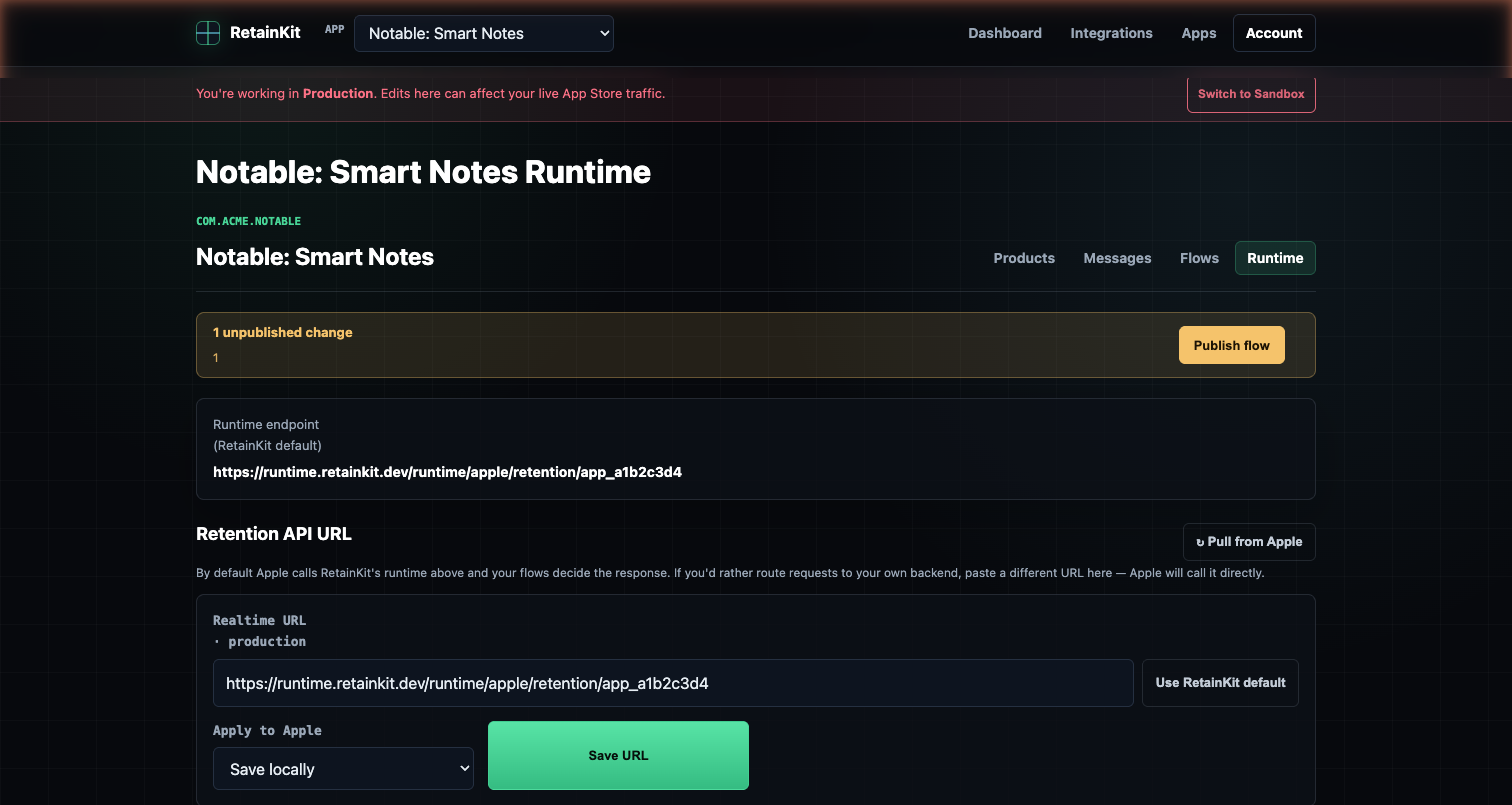
Apple configures the realtime URL through the StoreKit Retention Messaging API. The path is the same in sandbox and production, but the host changes.
PUT /inApps/v1/messaging/realtime/url| Environment | Endpoint | Use |
|---|---|---|
| Sandbox | https://api.storekit-sandbox.apple.com/inApps/v1/messaging/realtime/url | Configure and test before production access. |
| Production | https://api.storekit.apple.com/inApps/v1/messaging/realtime/url | Configure only after the sandbox performance test passes. |
The request body contains your endpoint URL. Calling the endpoint again updates the configured URL, so treat changes as deployments.
Sandbox and production examples
Use separate RetainKit runtime URLs per app and environment. That avoids mixing sandbox transaction IDs, sandbox offers, and production message review states.
PUT https://api.storekit-sandbox.apple.com/inApps/v1/messaging/realtime/url
Authorization: Bearer {in_app_purchase_key_jwt}
Content-Type: application/json

{
  "realtimeURL": "https://runtime.retainkit.dev/apple/retention/app_9f21/sandbox"
}
PUT https://api.storekit.apple.com/inApps/v1/messaging/realtime/url
Authorization: Bearer {in_app_purchase_key_jwt}
Content-Type: application/json
{
"realtimeURL": "https://runtime.retainkit.dev/apple/retention/app_9f21/production"
}
What Apple validates
The URL configuration API validates the request, authorization, account access, and environment prerequisites. Production configuration can fail if the account has not passed the sandbox performance test. The performance test is what exercises the runtime by sending Apple-generated requests to your URL.
Bad realtime URL request. Check request shape, URL format, and body fields.
Invalid JWT. Rebuild the App Store Connect authorization token.
Production may be blocked until the sandbox performance test passes.
The developer account or app may not have Retention Messaging API access.
Do not treat a successful PUT as proof that the runtime is healthy. It only means the URL configuration was accepted. Run the sandbox performance test and monitor real runtime logs.
Why production should not call App Store Connect
The realtime request arrives while the subscriber is waiting in Apple's cancellation flow. That path should not fetch subscription inventory, message lists, or offer metadata from App Store Connect. Those calls are too slow, too failure-prone, and too coupled to an external control plane.
A safer architecture separates configuration from evaluation:
- Sync apps, subscription groups, products, messages, and promotional offers before publish.
- Validate the retention flow against approved messages and available offers.
- Compile the flow into an immutable runtime snapshot.
- Distribute the snapshot globally.
- At request time, evaluate the snapshot and optionally sign a promotional offer.
App Store Connect sync
  -> RetainKit validation
  -> immutable runtime snapshot
  -> Cloudflare Workers runtime
  -> Apple realtime response
Health-check recommendation
Use a separate health endpoint for your own monitoring. Do not rely on probing the Apple realtime URL with a fake request body unless your runtime has an explicit simulator mode. Apple's production callback contains a signed payload, and the runtime should reject unauthenticated or malformed requests.
GET https://runtime.retainkit.dev/healthz

{
  "ok": true,
  "runtime": "cloudflare-workers",
  "snapshot": "rk_snap_2026_05_16_01",
  "kv": "ready"
}
For deeper checks, run a request simulator in the control plane using captured sandbox fixtures or synthetic signed fixtures. Keep that separate from Apple's production URL.